How to Design a Show Jumping Course: A Step-by-Step Guide
·
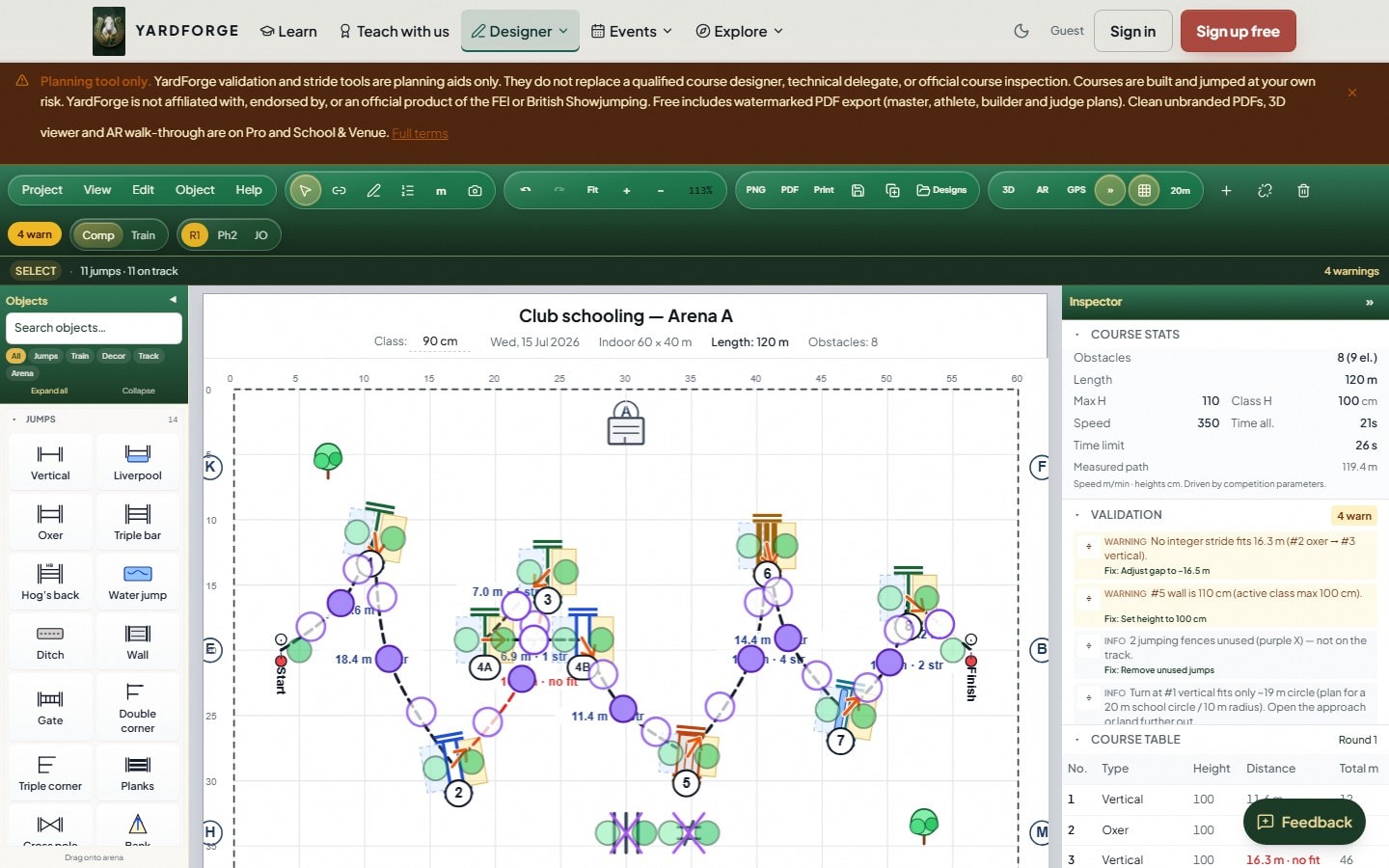
A good show jumping course rewards a balanced, forward horse and asks fair questions of the rider. A bad one rides like a trap. The difference is rarely the fences themselves — it is the distances, the track and the flow between them. This guide walks through how to design a course from a blank arena to a signed-off plan, whether you build for a club night or an affiliated class.
Throughout, we use YardForge's show jumping course design software for the worked examples, but the principles apply on paper too.
1. Start with the arena
Everything scales from the ring. Before you place a single fence:
- Measure the usable surface — a 40 × 60 m arena designs very differently from a 20 × 40 m school.
- Note the entry, the gate and any permanent features (mirrors, sprinkler heads).
- Set your dimensions in the designer so every distance is to scale from the start. You can also set arena size from a GPS perimeter walk.
2. Choose the standard before the fences
Set the competition standard — FEI, British Showjumping, Hunter or Unaffiliated — first, because it changes which distances and spreads are legal. Switching halfway through means re-checking every line. See FEI vs British Showjumping for which to pick. If you are writing an FEI schedule in 2026, also skim FEI Jumping Rules 2026 for course designers — article numbers and championship chapters changed.
3. Build the track, not just the fences
Design the line the horse rides, then hang fences on it:
- Open with an inviting fence on a forward, straight approach.
- Use the whole arena — long galloping stretches balanced with turns.
- Avoid pointing a fence or combination straight at a wall or the gate.
- Build progressive difficulty so the hardest question comes when horse and rider are warmed up, not cold.
4. Get the related distances right
This is where courses are won and lost. A horse's canter stride is roughly 3.5–3.7 m, with about 6 m allowed for take-off and landing across two fences — shorter for ponies.
- Set related distances in whole strides and let the stride calculator confirm them.
- Treat combinations with extra care — the internal distances are unforgiving at the second element.
- Remember pony classes: distances that ride well for horses can be impossible for ponies in the same split.
5. Validate against the rules
Place every fence, then check heights, spreads and combination distances against the rulebook for your standard. In YardForge this happens live as you drag — and it auto-fixes the errors it can, not just flags them. For affiliated builds, cross-reference the BS course-building rules.
6. See it in 3D — and walk it in AR
A plan that looks balanced from above can feel cramped at ground level. View the course in 3D at rider eye height, and place it in your real arena at full scale in augmented reality before you move a pole. It is the fastest way to catch a turn that is tighter than it looked on paper.
7. Walk it like a rider
Numbers are not a substitute for walking the track. Pace your related distances, look through every combination to the next fence, and note where the line goes uphill, downhill or to a blind turn. Our guide to walking a course covers the method.
8. Export, share and sign off
- Export a Master Plan, Athlete, Builder or Judge PDF for the team.
- Share a read-only 3D link with the course builder or technical delegate for final sign-off.
- Save the layout so you can reuse and tweak it next time.
The short version
Design the track, get the distances right, validate against the correct standard, then walk it. Do those four things and the fences almost place themselves.
Ready to build one? Open the show jumping course design software and place your first fence free — no card required.
Related: Bending lines: distances and design · How to design a jump-off · FEI vs British Showjumping · Understanding combination fences · How to walk a course · Show jumping distances explained

