Show Jumping Course Plan PDF: Master, Athlete, Builder, Judge
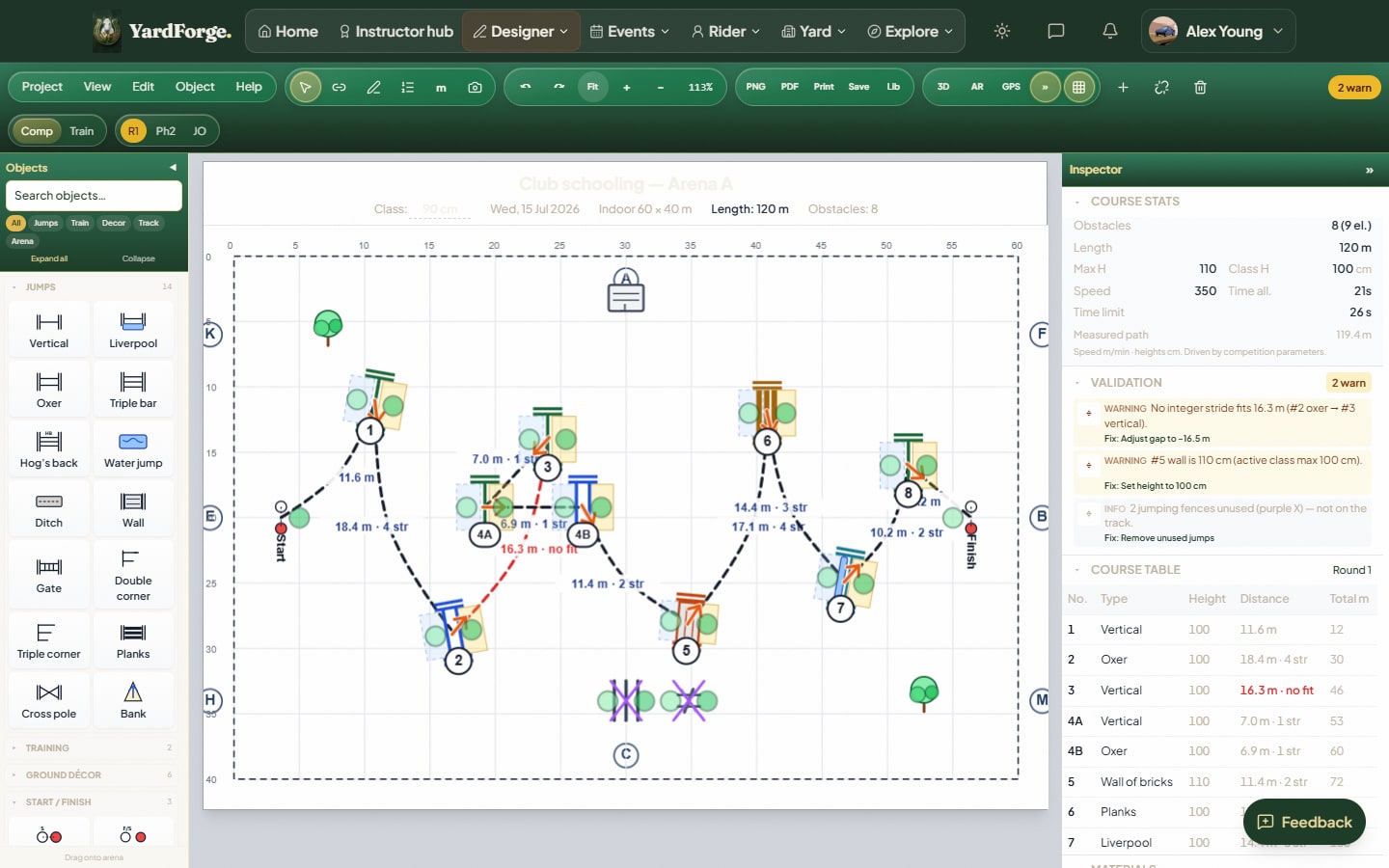
A show jumping course plan only earns its keep if someone can build from it under time pressure. Heights, numbers, related distances, and a track that still makes sense when the poles are on the ground, not a pretty diagram for Instagram.
What each PDF role is for, what free software can export, and how UK club builders usually use the pack. Product surface: show jumping course design software. To draw the track first, open the free designer.
What a course plan must show
At minimum:
- Arena size and orientation (where the gate is)
- Fence numbers in riding order, including combination letters (5A / 5B)
- Heights and spreads the class is meant to jump
- Related distances you care about (combinations especially)
- Start and finish if the class needs them marked
If any of that is missing, the builder invents it on the sand. That is where illegal doubles and crooked lines come from.
Four PDF roles (same course, four jobs)
YardForge exports four plans from one design. Same fences; different emphasis.
| Plan | Who uses it | What it emphasises |
|---|---|---|
| Master | Designer / TD / secretary | Full picture: track, numbers, overview |
| Athlete | Riders walking the course | Riding line and order without builder clutter |
| Builder | Crew putting poles in | Positions, numbers, enough kit detail to build |
| Judge | Ring / judges' box | Class-facing layout for the day |
Samples (static files on the site):
Watermarked PDFs
On Free, multi-role export is watermarked. That is enough for most club nights and schooling at home. Free and beta PDFs carry a small "Designed free with YardForge" watermark. Details: free vs paid course design software and pricing.
If a watermarked master plan is good enough for your builder, you do not need to pay for the software to get a usable plan out.
For British Showjumping course builders
"Course builder" in UK chat often means the person putting the track up, not only a BS panel official. Either way you want:
- Standard set first, British Showjumping, FEI, Hunter or Unaffiliated before you fine-tune distances. See FEI vs British Showjumping.
- Live checks while you design, not a post-build spreadsheet. Overview: BS course building rules.
- A builder PDF the crew can print, not a photo of a whiteboard.
YardForge validation is a planning aid. It is not official British Showjumping software and it does not replace a qualified designer, technical delegate or inspection.
How to produce a plan in YardForge
- Open the designer and set arena size (or load a template from the gallery).
- Choose the competition standard.
- Place fences, connect the track, fix any red or yellow validation flags you care about.
- Export the role pack (master / athlete / builder / judge).
- Walk the track on paper or in the 3D view, then build.
Step-by-step design craft: how to design a show jumping course. Distances: show jumping distances explained.
Small arena and club nights
Home schools and 20 × 40s still need real plans. Fewer fences, shorter related lines, more honest about what fits. Print the builder plan at A4; tape it to a wing if that is how your yard works. Set the standard and design to the ring you have, unaffiliated or BS grade.
Next
- Product: course design software
- App / phone: course design app
- Full pillar: UK course design guide
- Open: free designer
- BS-focused lander: British Showjumping course design software

